Download
You can download the most recent release or build the latest package at this link.
Quick Start
This is the unity sdk for the WorldOn studio. Basic features of this package:
- Text to animation by requesting our services through API using C# script.
- Show generated animation on humanoid fbx prefab
Before you get started, we would like to walk you through our assets and API references.
Installation
Register or Login
Please register an account or login to existing account on our web studio to gain full access to our services and enjoy the benefits we offer.
Acquire Your API Key
You can find your Secret API key in your [User settings]((链接). To keep your account secure, we recommend that you don't share your API Key with anyone.
Sample of the Animation Generation Process
Enter Your API Key in APIConfig.cs under the Scripts folder.
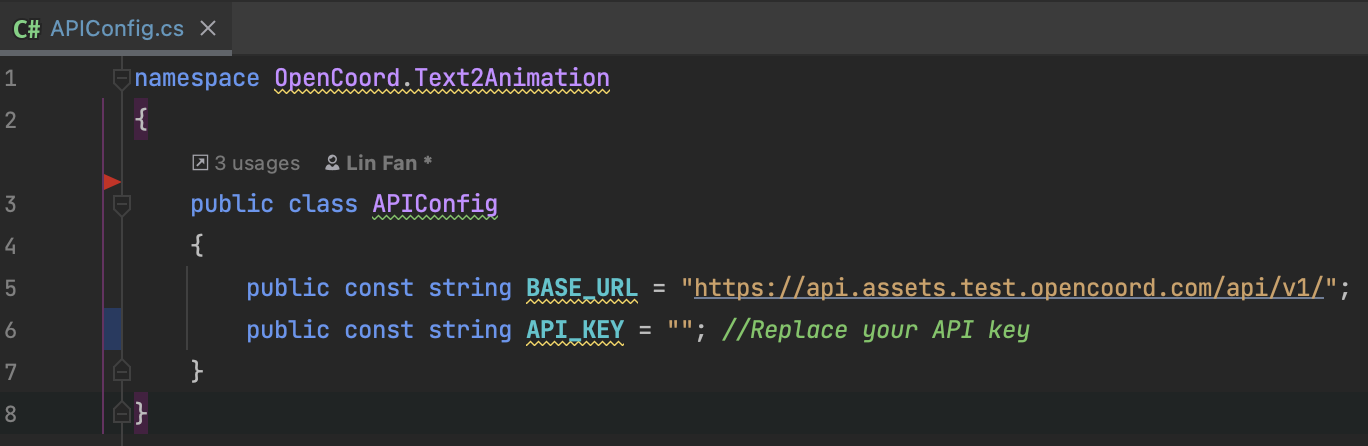
The animation generation can be requested in 3 ways:
- Enter your prompt through our web studio.
- Enter your prompt in unity graphical user interface (GUI).
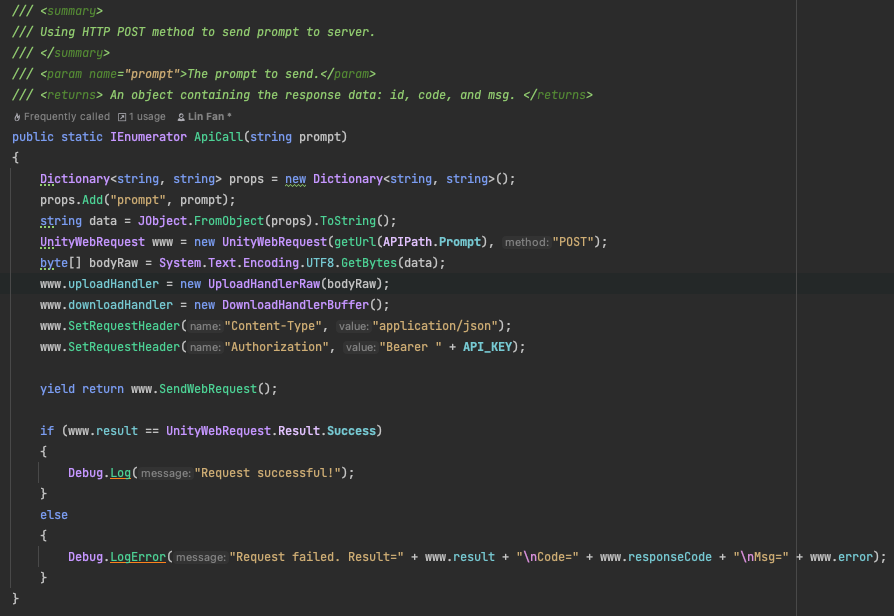
- Request using API in C# script, as shown below:
Editor Window
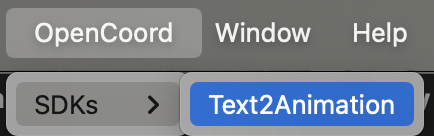
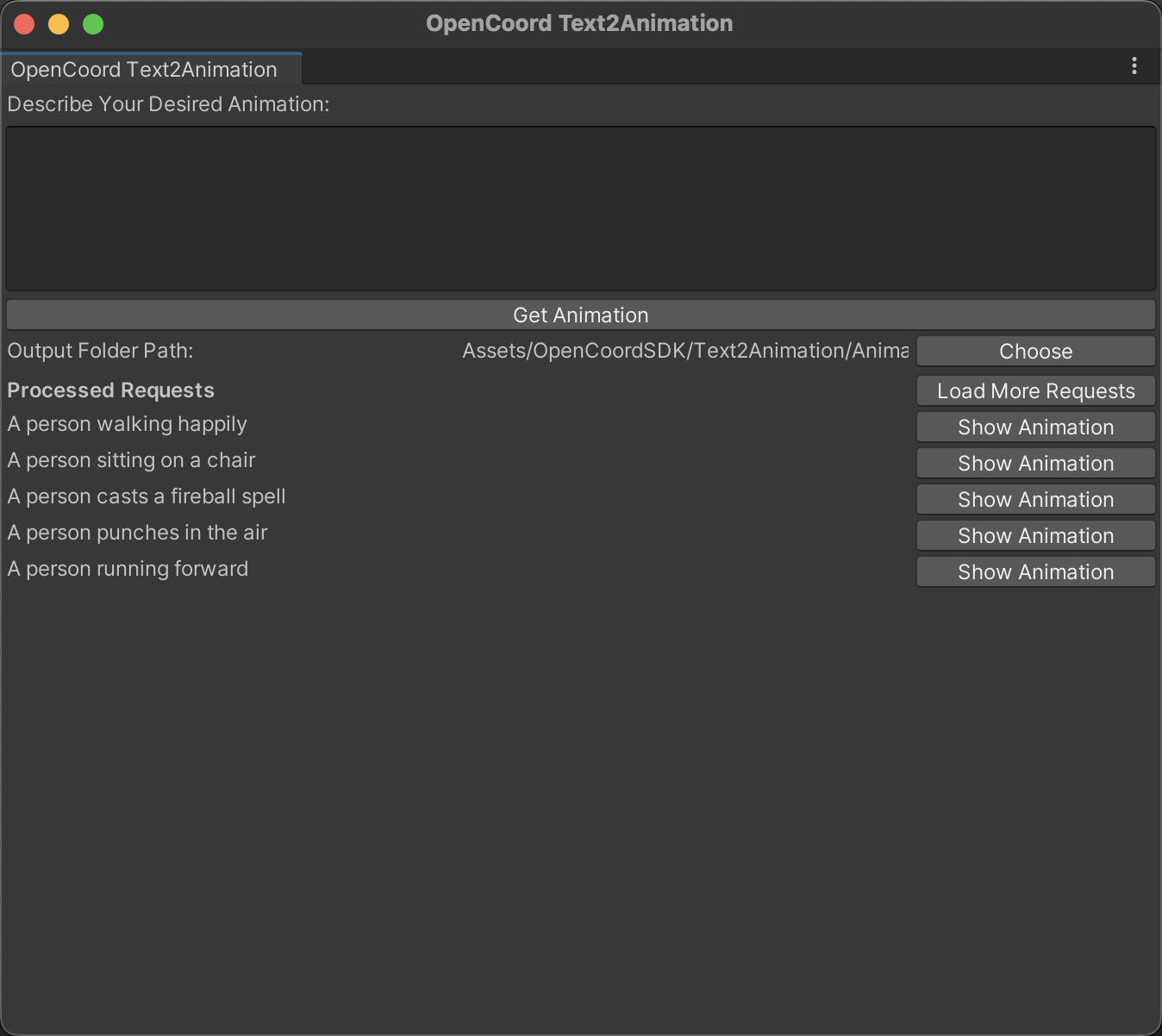
We also provided a simple graphical user interface that can be opened by clicking "OpenCoord" -> "SDKs" -> "Text2Animation" in the status bar.
Features of the user interface:
- TextArea: to enter your prompt.
- "Get Animation" button: to send a request to the server.
- Output folder path: the folder where you want to save the generated animation file.
- Processed Requests: processed animation requested.
- "Show Animation" button: download the animation and save it to the output folder path.
- "Load More Requests" button: to load more processed requests.
Showing Generated Animation
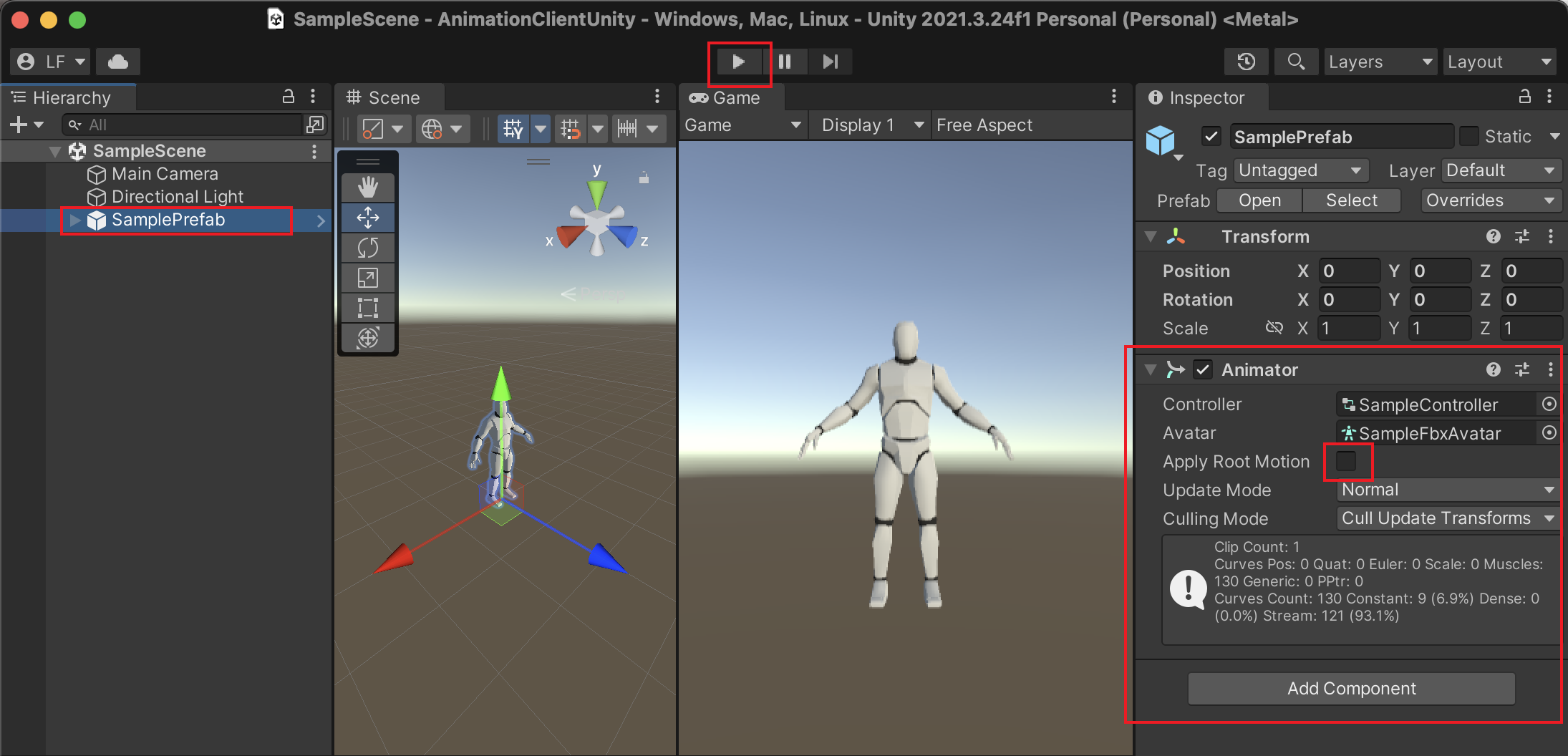
Open SampleScene (or create your own) and make sure it has a humanoid fbx prefab. The prefab should be attached with an animator component with an animator controller. Make sure Apply Root Motion is unchecked.
To view the animation, please run the SampleScene first.
Open the editor window and click on "Show Animation" button of the animation you want to view under processed requests.